01Inspiration
When I joined a team that worked on refund abuse prevention, a colleague introduced us with a joke: “We are the Abuse team… Just kidding, we're the Abuse Prevention team.” Our job was to stop customers from abusing the company's refund system. Sometimes, though, I felt that we were abusing the same system ourselves, at the customer's expense.
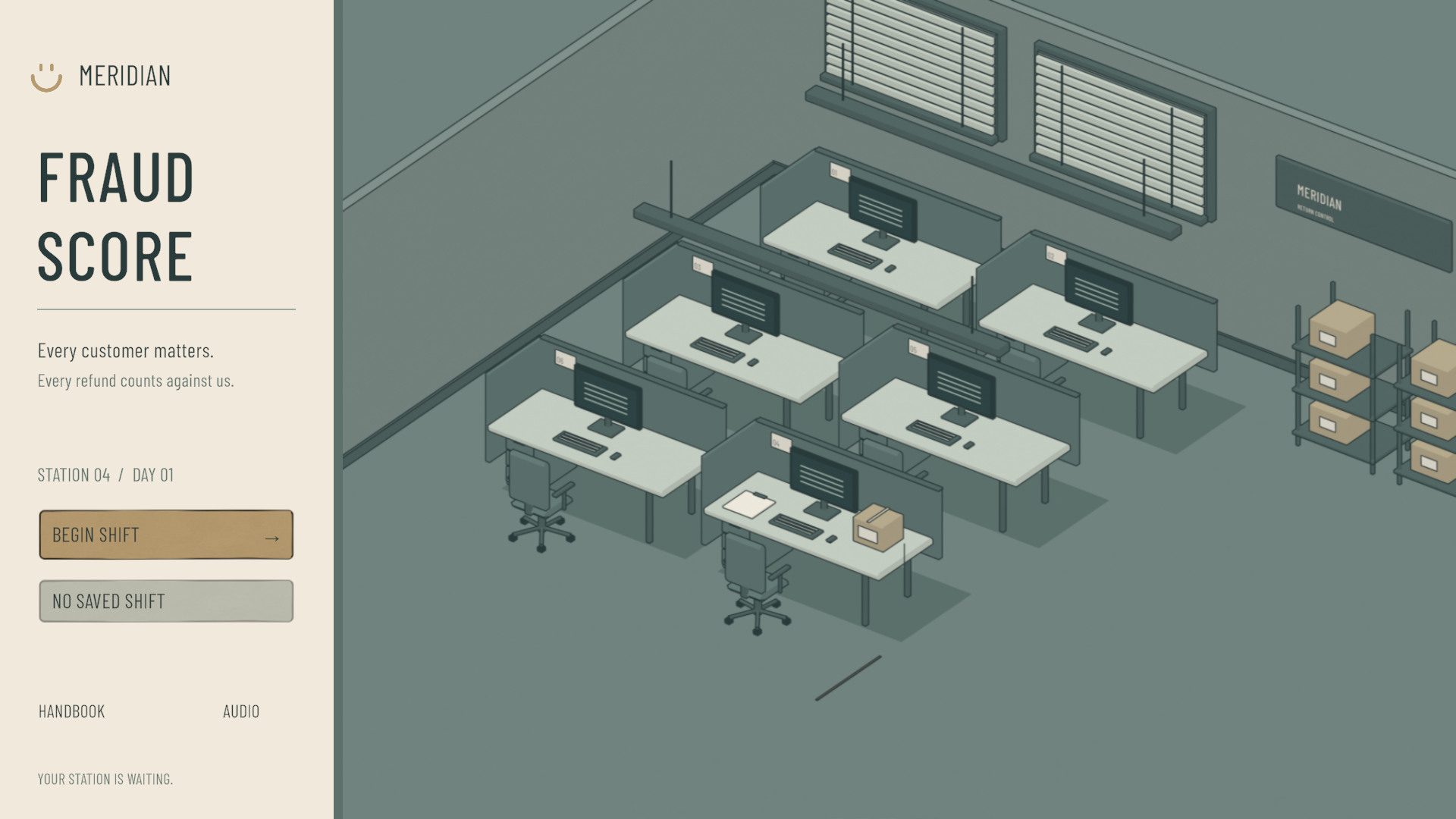
Fraud Score grew out of that experience. You work as a refund reviewer at the fictional company Meridian, reading claims, inspecting returned items, gathering evidence, and deciding whether to issue a refund under company policy. The company says “Every customer matters,” but evaluates reviewers by how much money they save. I built that conflict into the rules and left the decisions to the player.
02Inspecting the items
The first workbench was almost entirely text. Policies, customer statements, and evidence appeared together, while the product and its animations occupied a small area. Players mostly read and selected text, with very little they could do to the item itself.
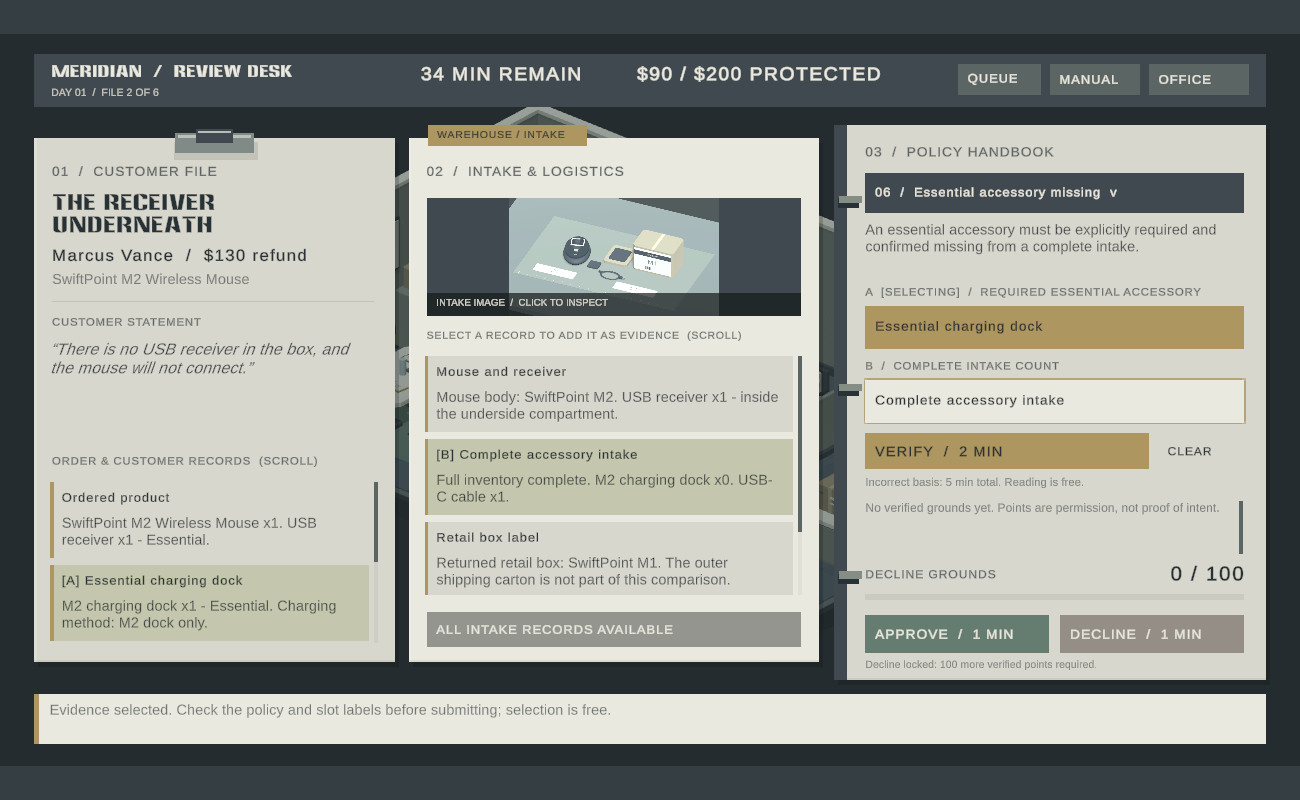
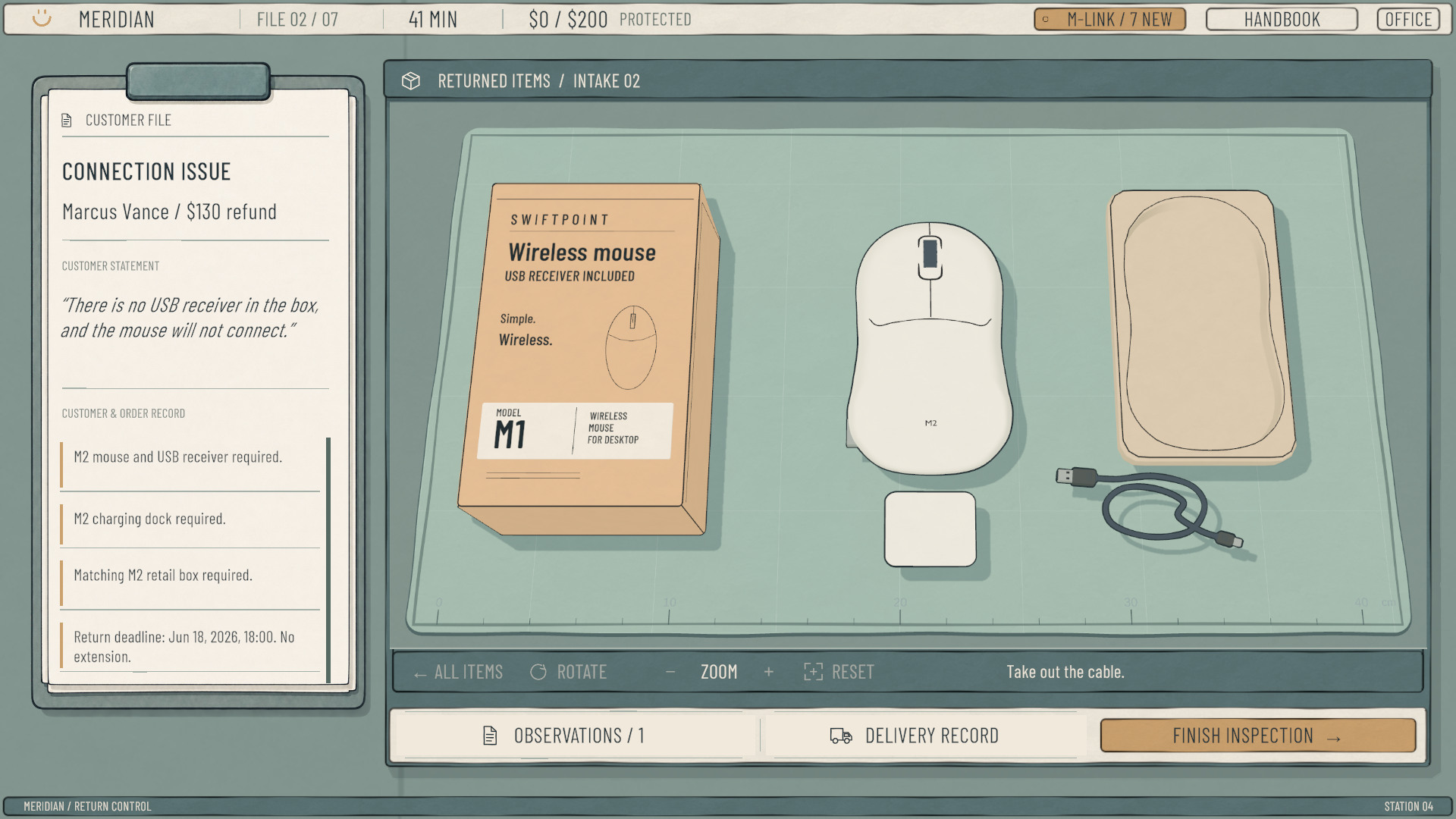
At that point, warehouse records already contained the inspection results. Players only had to select and combine them. Taking a cue from the way The Operator asks players to find discrepancies in photos and documents, I replaced those ready-made conclusions with evidence players had to discover. Order details and customer statements remained the starting point for each inspection.
I began with Marcus's mouse case. He says the USB receiver is missing and the mouse will not connect. The player has to pick up the mouse, turn it over, and open the bottom cover to find the receiver inside. Inspecting it lets the player check the claim directly.
Before implementing the physical inspection, I planned the interaction in a five-scene prototype: read the customer's statement, examine the mouse, record facts, and compare them with the order and policy. The original prototype is below; its steps are clickable.
Mouse case interaction prototype ↓
Initially, the mouse had dedicated “Flip” and “Open cover” buttons beneath it. Because only this item had those buttons, they gave away where a clue might be hidden. I changed this to dragging the item to rotate it and clicking the cover to open it. Other items use the same controls, with an outline highlighting parts that can be handled.
Finding the receiver originally produced one small line of text in the bottom-left corner, which was easy to miss. I added a brief comment from the reviewer and a discovery notice before adding the record to the workbench. The notice initially disappeared too quickly, so I made it stay until clicked, giving players time to read it.
03Unpacking and recording evidence
Adding physical inspections to other cases introduced unnecessary unpacking. Some packaging layers and parts offered no information and had no bearing on the refund decision. Several objects could also respond to a click at once, making it easy to select something behind the outer layer. I removed unnecessary packaging and made items selectable only after they were exposed.
In the first case, the customer was supposed to return a kitchen scale but sent a timer instead. The original model also used a timer box, so the packaging gave no indication that anything was wrong. I changed it to a kitchen scale box with a larger recess. The smaller timer now sits in a space it clearly does not fit, suggesting that the wrong product was returned.
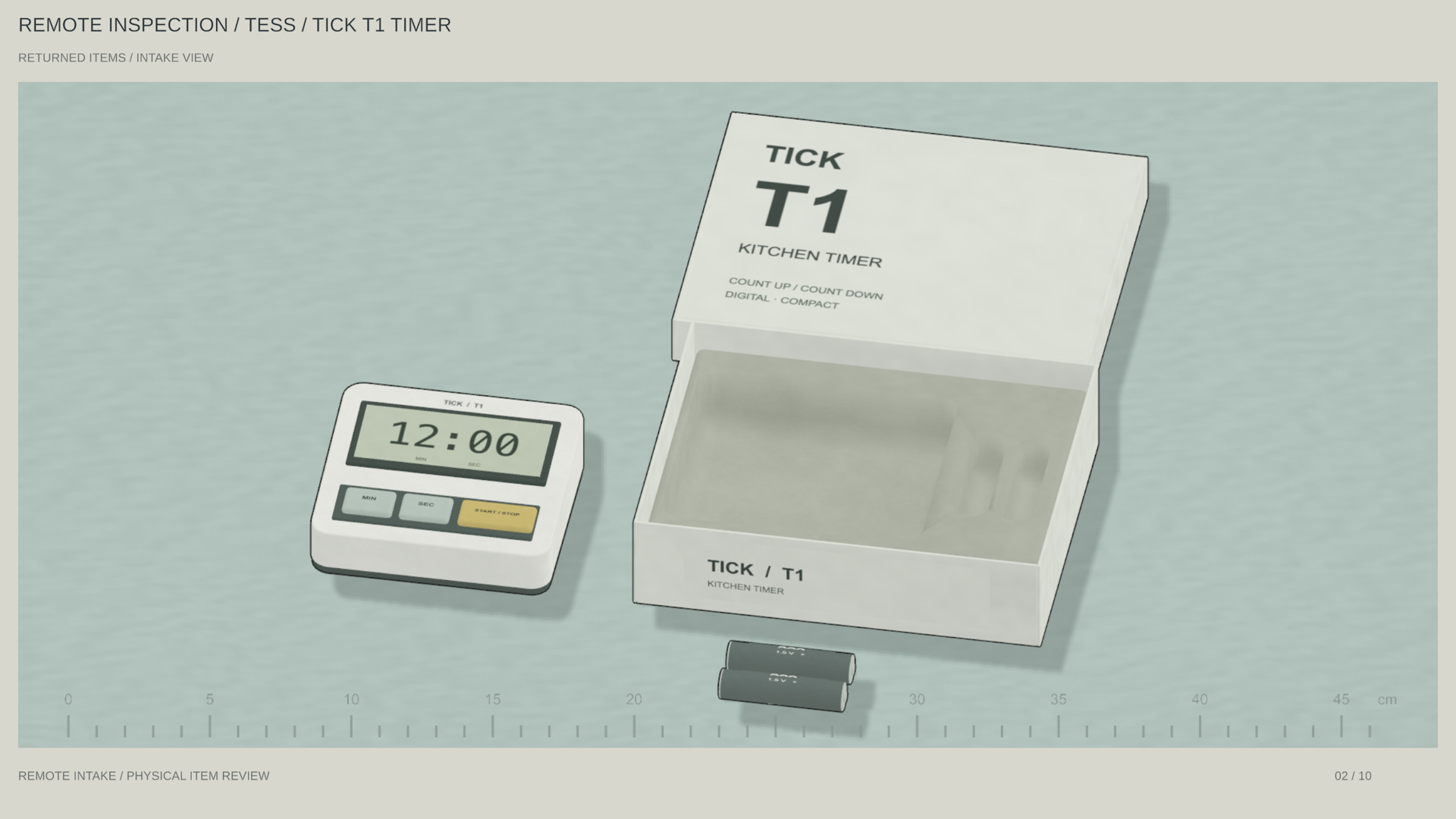
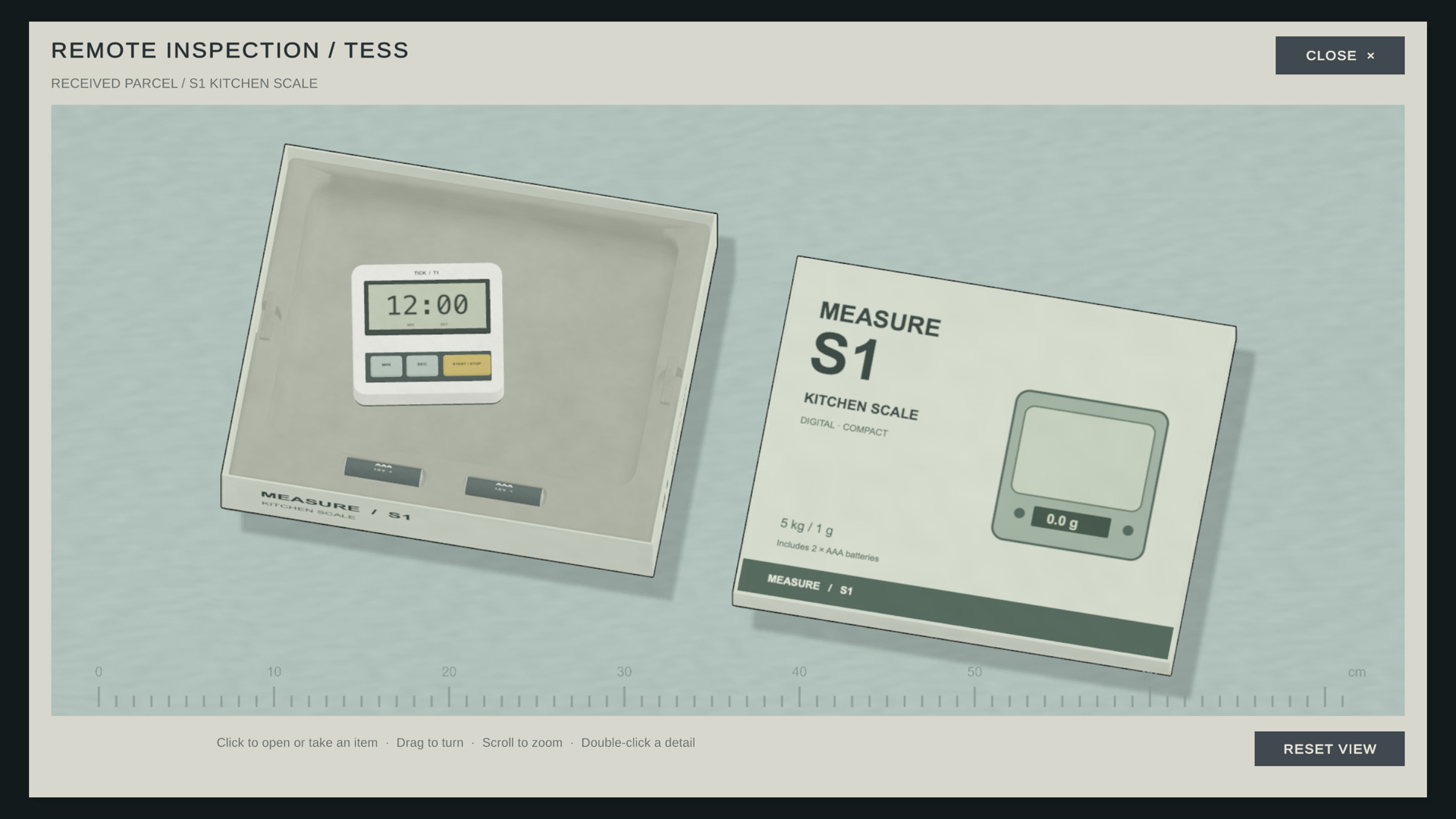
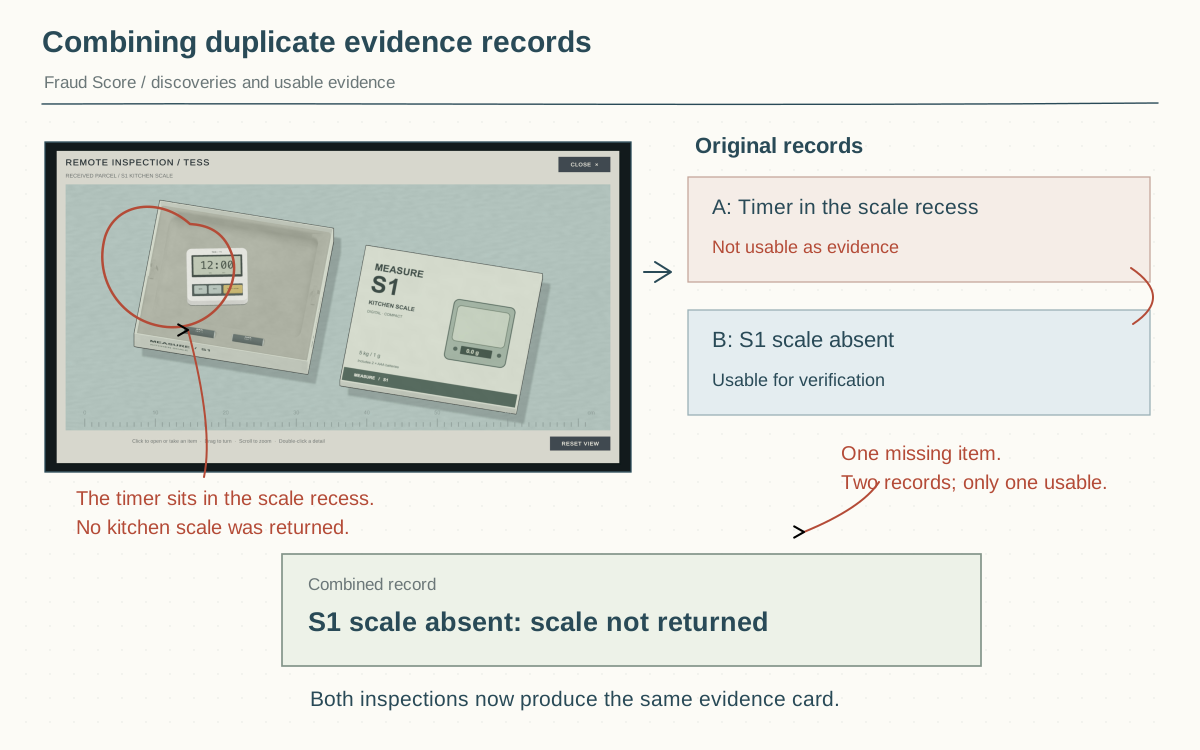
This case also produced duplicate records. Clicking the timer yielded “Timer in the kitchen scale recess,” while examining the recess yielded “S1 scale absent.” Both observations meant that the scale had not been returned, yet they were recorded as separate discoveries, and only one could be used for verification.
I combined them into a single “scale absent” record. “The item received is a T1 timer” remained a comment during inspection. This kept the feedback without making players guess which of two similar records was valid.
04Making a decision
Even after physical inspection was added, players could skip the Customer File, gather records, and repeatedly try combinations of evidence and policy. Incorrect attempts had little noticeable cost, so they could find an answer without understanding why the customer had returned the item.
I changed the order of operations. The customer's statement and order record appear in the center first. After they have been read, the file moves to the left and the inspection bench opens. The policy handbook remains available during inspection, but evidence cannot be paired yet.
Once players end the inspection and move to the decision stage, they can use only the records they have collected. They cannot return to look for more. Verification requires selecting a policy and then two supporting pieces of evidence; an incorrect pairing costs extra time. These constraints encourage players to notice what evidence a policy requires during inspection and check their grounds for denial before submitting them.
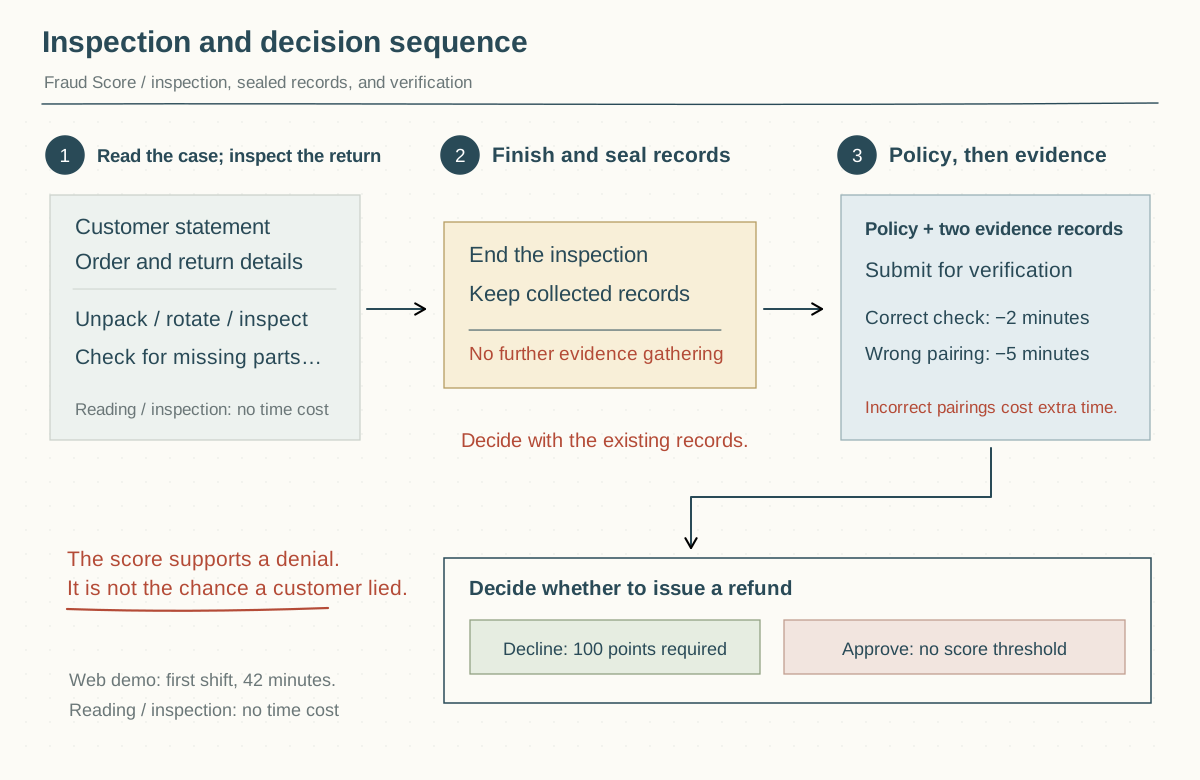
The web demo contains seven cases from the first shift, sharing a 42-minute action budget. The full game extends beyond this shift. Reading, rotating objects, and thinking do not use the budget. Verification and closing a case do, with incorrect verification costing more. Players can take their time inspecting, but repeated unsuccessful submissions have a cost.
Reaching a Fraud Score of 100 means the company permits a denial. It does not prove that the customer is a fraudster. Maya sent back a complete, unused kettle, but a medical emergency involving her child delayed her return by fifteen minutes past the deadline. Players can deny it under policy or approve the refund after considering her circumstances.
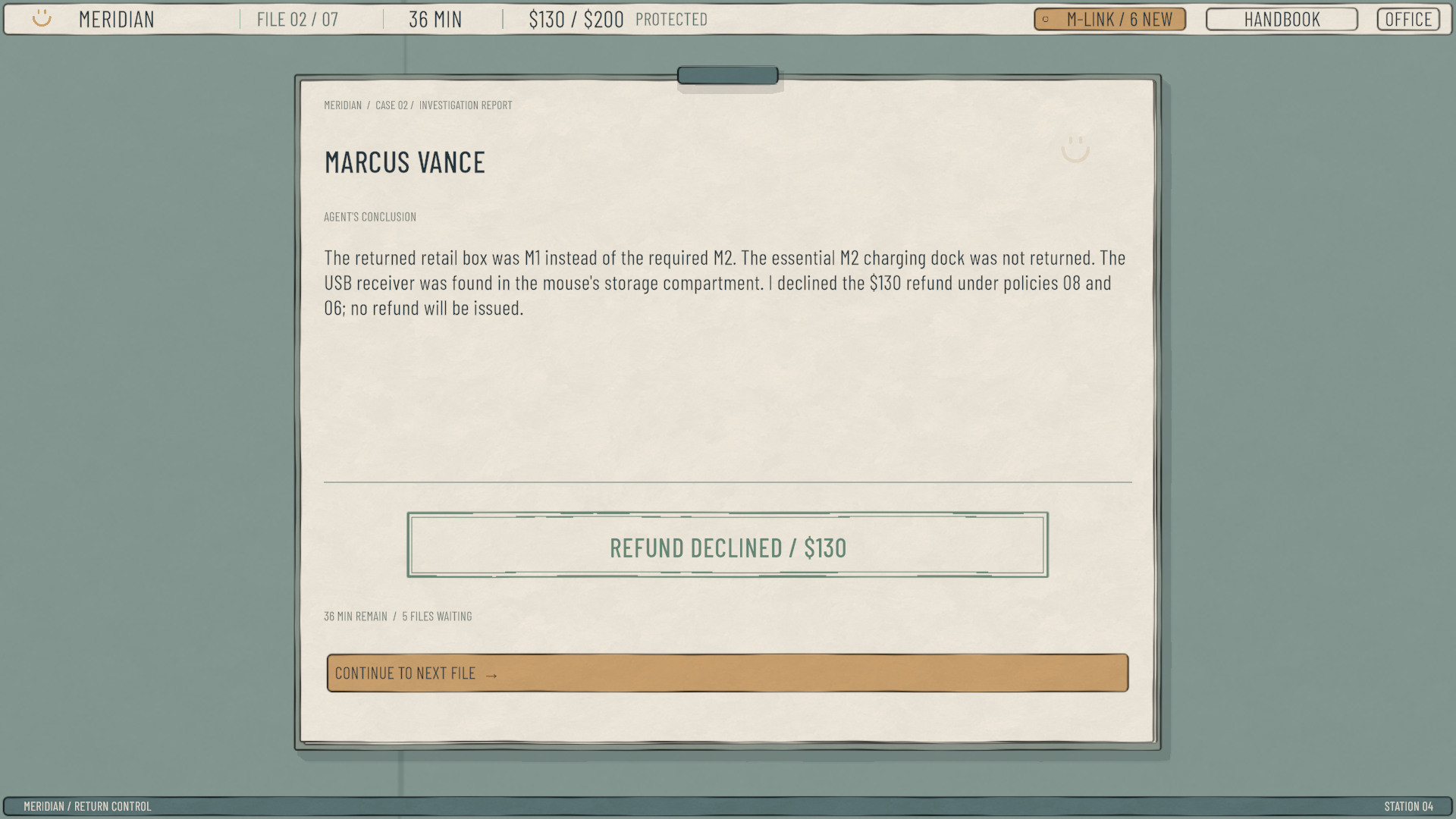
The closing report lists the facts the player found, the policies used, and the final decision, stamped approved or denied.
05Art direction
Early scenes used rough, worn surfaces to convey an oppressive atmosphere, but they looked more like trenches or a post-apocalyptic shelter. That did not fit the setting I had in mind. The story takes place in 2060, with the protagonist reviewing refunds for a tech giant. I imagined an office routine similar to the everyday working life in The Matrix: clean, respectable surroundings and the same tasks repeated each day.
A revision with orderly blue panels went too far toward ordinary office software. After comparing several art styles and trying them in the game, I chose a hand-drawn approach, keeping paper, clipboards, and an inspection mat. Slightly uneven lines and coloring give the surfaces their drawn texture. I later reduced the curvature of the outlines and the strength of the wear textures so objects would not look distorted or excessively dirty.
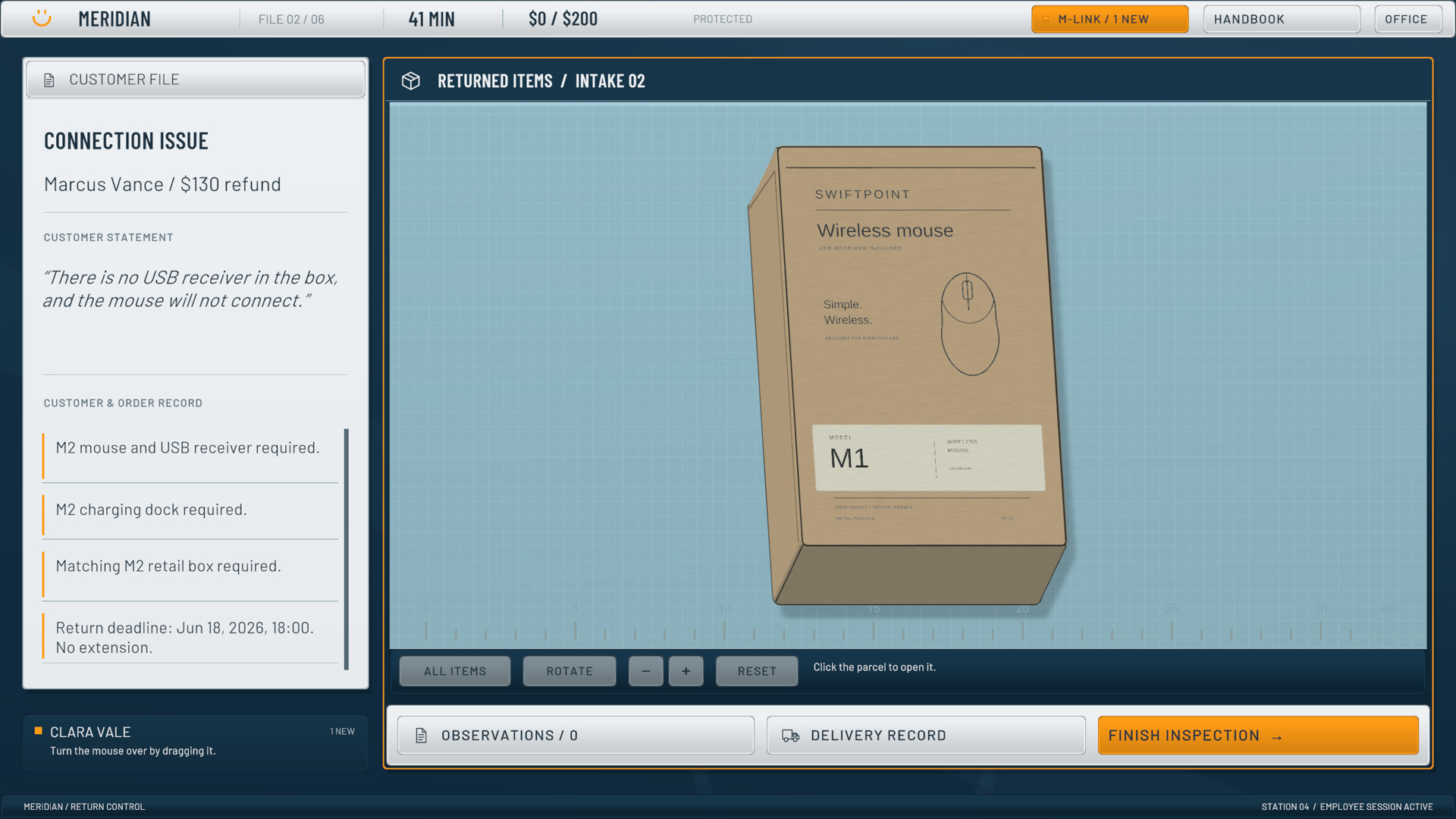
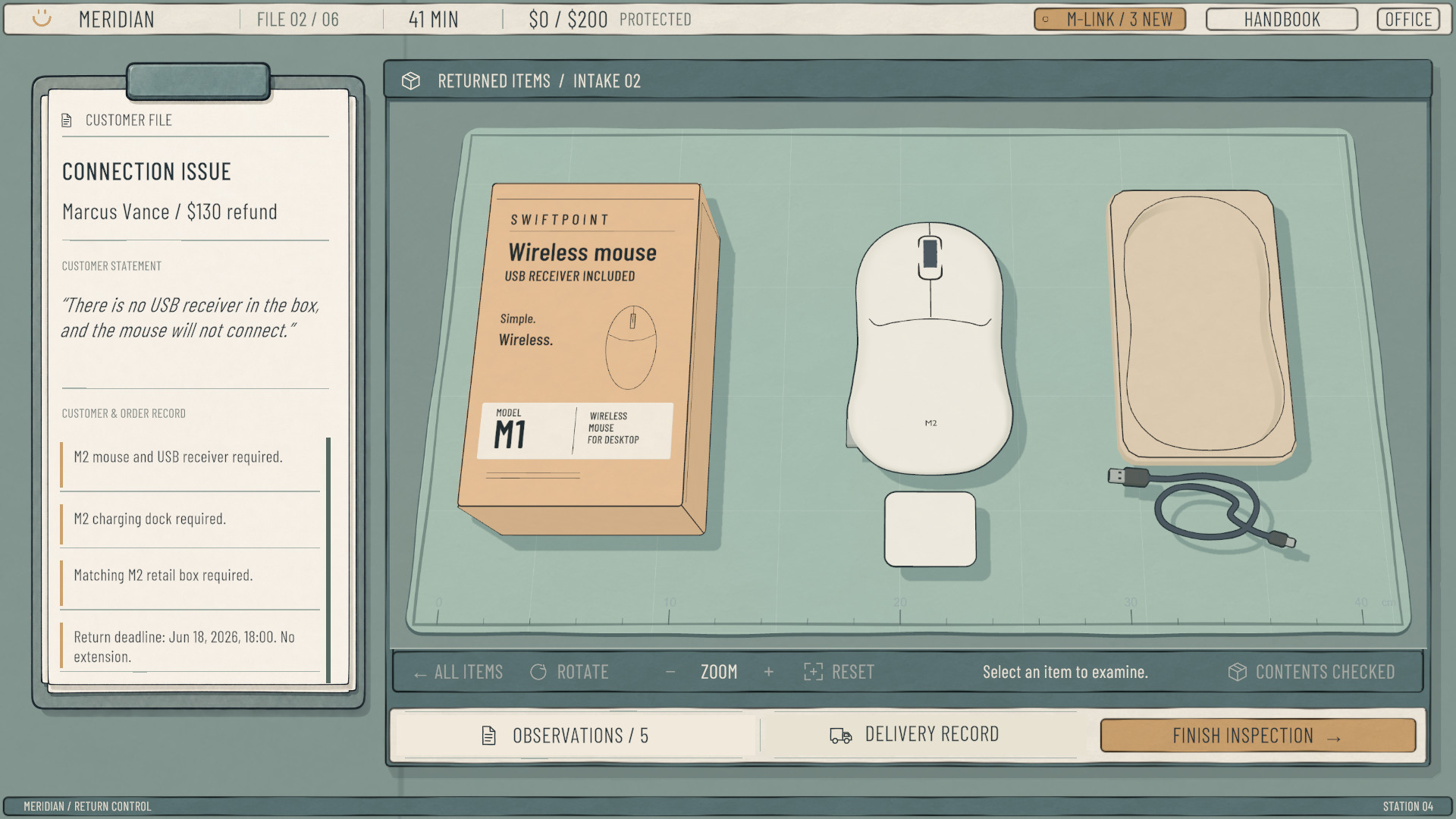
The magic wand case adds some absurd humor. The player can actually turn the packaging into a pigeon. The reviewer says only, “Seems like it works...” and continues recording evidence, selecting policy, and processing the refund.
01灵感来源
刚加入负责退款滥用防范的团队时,一位同事这样介绍我们:“We are the Abuse team…开玩笑的,我们是 Abuse Prevention team。”我们的工作是防止顾客滥用公司的退款机制,但有时候,我感觉我们也在滥用同一套系统,站到了顾客的对立面。
Fraud Score 来自这段工作经历。玩家在虚构公司 Meridian 担任退款审核员,查看申请、检查退回的物品、寻找证据,再根据政策决定是否退款。公司说“Every customer matters”,考核的却是审核员替公司省下了多少钱。我把这种矛盾放进了游戏规则,让玩家自己决定怎么处理。
02实物检查
第一版的工作台几乎全是文字:政策、顾客陈述和证据同时显示,商品和动画只占很小一块。玩家主要在读文字、选文字,能直接操作物品的地方很少。
当时,仓库记录已经写好了实物检查的结果,玩家只需要选取和组合。我参考 The Operator 中从照片和文件里寻找疑点的做法,把这些现成结论改成需要玩家自己发现的证据,保留订单和顾客陈述作为检查的起点。
我先改了 Marcus 的鼠标案。顾客说没有 USB 接收器,鼠标连不上。玩家需要拿起鼠标、翻到底面、打开底盖,才能发现接收器就在里面。玩家亲自检查后,就能确认顾客的说法是否符合实际情况。
接入实物之前,我用五幕交互草稿安排流程:阅读顾客陈述、检查鼠标、摘录事实,再与订单和政策对照。下面保留了当时的草稿,可以点击切换步骤。
开发时的鼠标案交互草稿 ↓
最初,鼠标下面有专门的“翻面”“打开底盖”按钮。只有这件物品有这些按钮,很容易提前暴露藏着线索的位置。后来改成拖动旋转、点击底盖拆开,其他物品也采用相同的操作方式。可操作部位用轮廓高亮提示。
发现接收器时,原先只有左下角一行小字,容易错过。我加了简短独白和发现提示,再将记录加入工作台。提示一开始自动消失得太快,又改成点击后才收起,方便玩家读完后再继续。
03拆箱与证据记录
其他案件加入实物检查后,出现了不少不必要的拆箱操作。有些包装层和零件既不提供信息,也不影响退款判断。多个物体还会同时响应点击,玩家容易误点到外层后面的东西。我删掉了无用的包装层,并让物品露出来以后才能被选中。
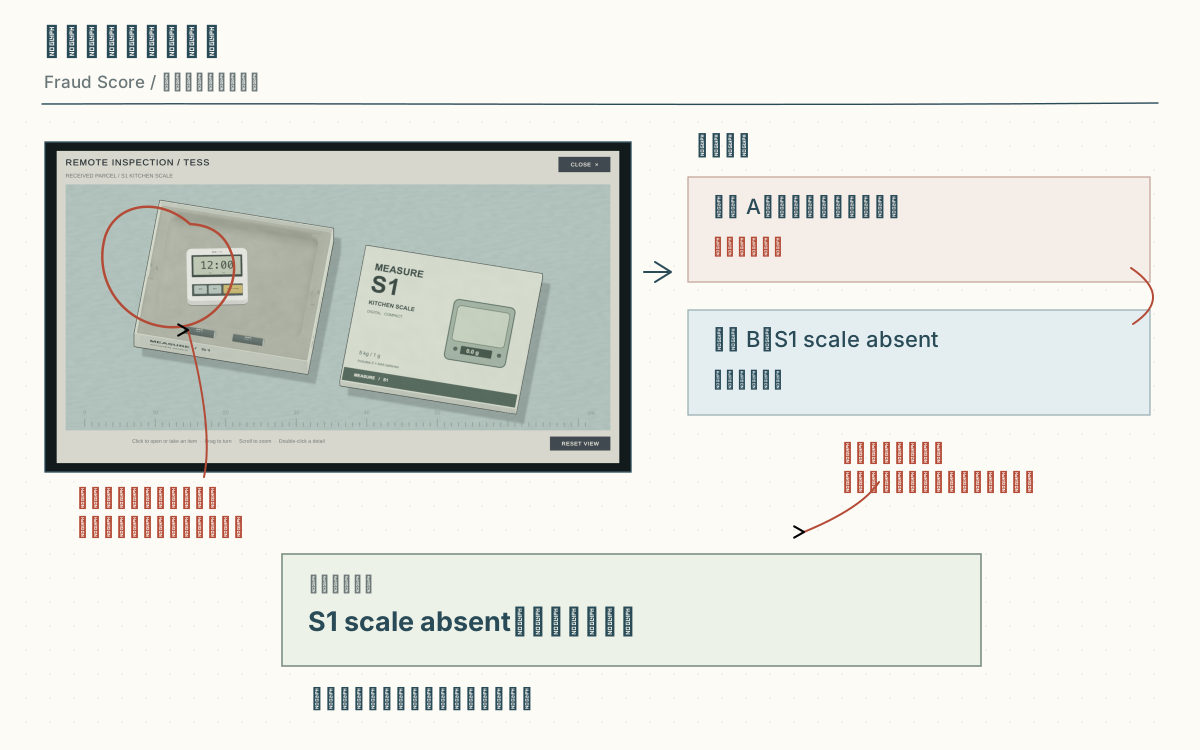
第一案中,顾客应该退回厨房秤,却寄来了计时器。最初模型配的也是计时器盒,无法从包装上看出问题。我把它改成厨房秤的盒子,在里面留出更大的凹槽。较小的计时器放进去,尺寸差异就能提示退回的东西不对。
这个案件还出现了重复记录:点击计时器得到“计时器在厨房秤的凹槽里”,检查凹槽又得到“S1 scale absent”。两次操作都说明厨房秤没有退回,却被记成两个发现,而且只有一个能用于核验。
我把它们合并成一条“scale absent”。“收到的是 T1 计时器”保留为检查时的独白。这样既保留了检查反馈,也避免玩家在两条意思相近的记录里猜哪条有效。
04裁决流程
加入实物检查后,玩家仍然可以跳过 Customer File,直接收集记录,再反复组合政策和证据。选错的代价不明显,不理解顾客为什么退货也能试出结果。
我调整了操作顺序。先在画面中央显示顾客陈述和订单记录,读完后再把档案移到左边,打开检查台。检查时可以查阅政策手册,但不能同时配对证据。
结束检查、进入裁决后,玩家只能使用已经收集的记录,不能返回补找。核验时,先选政策,再选两条对应证据;配错会扣除额外时间。这些限制是为了让玩家在检查时留意政策需要什么证据,并在提交前确认拒付理由。
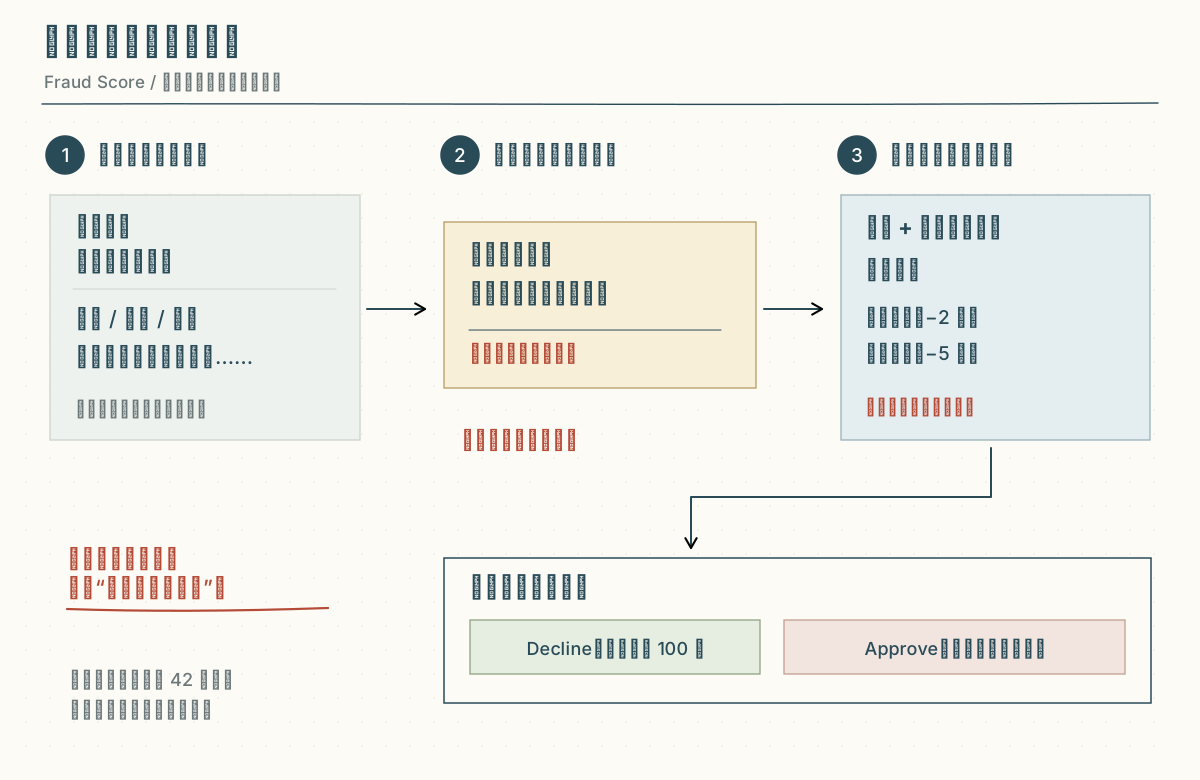
网页版试玩包含第一个班次的七个案件,共用 42 分钟行动预算;完整游戏不止这一个班次。阅读、旋转物品和思考不会消耗预算,核验与结案才会扣除,错误核验扣得更多。玩家可以慢慢检查,但需要控制无效提交。
Fraud Score 达到 100 分,表示公司允许拒付,不代表已经证明顾客是骗子。Maya 因孩子急诊耽误寄件,退回的是未使用的完整水壶,却比期限晚了十五分钟。玩家可以按政策拒付,也可以考虑她的具体情况,批准退款。
结案报告会列出玩家查到的事实、采用的政策和最终决定,再盖上批准或拒绝的印章。
05美术风格
早期为了强调压抑,把场景做得粗粝、陈旧,看起来像战壕或末日避难所。这不符合我对场景的设想:故事发生在 2060 年,主角在科技巨头里审核退款,日常工作类似《黑客帝国》中的办公室生活:环境整洁、体面,每天却重复相同的工作。
改成整齐的蓝色面板后,界面又太像办公软件。在比较多种艺术风格,并尝试它们在游戏中的效果后,我选择了手绘风格,保留纸张、夹板和检查垫,用不完全均匀的线条和上色表现手绘质感。后来又减小了线条的弯曲幅度、降低做旧纹理的强度,避免物品显得变形或太脏。
魔杖案加入了一点荒诞的幽默:玩家真的能把包装变成鸽子,主角只说一句“Seems like it works...”,然后继续记录、选政策、处理退款。